





[01]
Embed Twinbot in your application
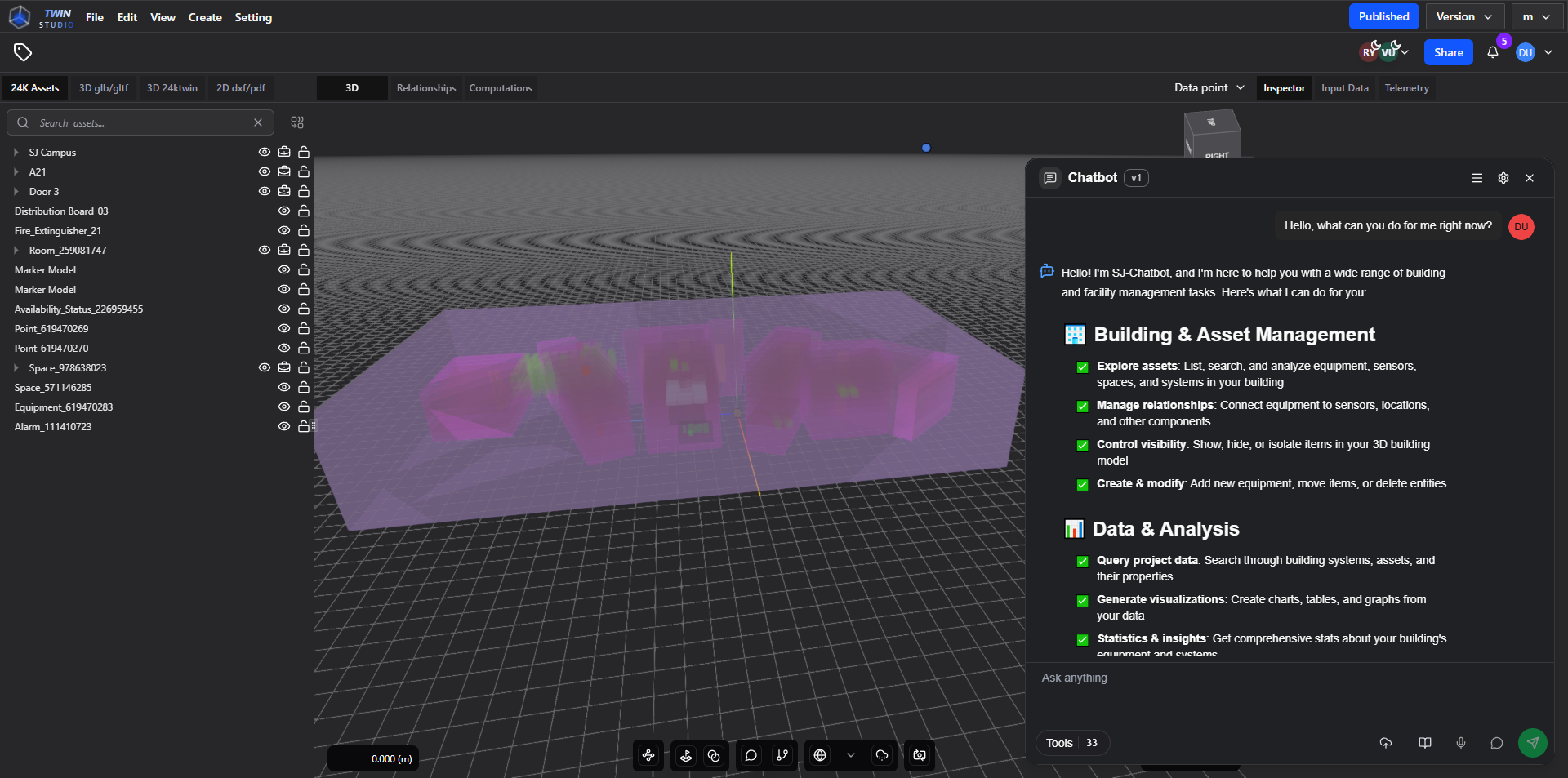
Twinbot can be embedded through an iframe, with two-way communication handled via postMessage.
A suite of secure, high-efficiency agentic modules designed to streamline infrastructure deployment and optimize operations
[ABOUT TWINBOT]
Turn spatial data and 3D assets into lightweight 3D tilesets for cities, campuses, infrastructure, and site models. Simply upload your data, set rules, and generate output ready for Cesium, ArcGIS, and all OGC 3D Tiles viewers.
[01]
Embed Twinbot in your application
Twinbot can be embedded through an iframe, with two-way communication handled via postMessage.
[03]
Extend with external MCP tools
Twinbot can connect to external MCP servers, such as Twin-editor-MCP-REMOTE, which provides dedicated tools for Twin-editor tasks related to BrickClass.
[05]
Interact with project entities
The Twinbot UI can recognize entities that exist in the project and display their name and UUID directly in rendered chat content.
[02]
Use internal tools
Twinbot includes tools like Data Visualization, Web Search, Code Execution, HTTP Request, and File Search to retrieve, process, and present results to users.
[04]
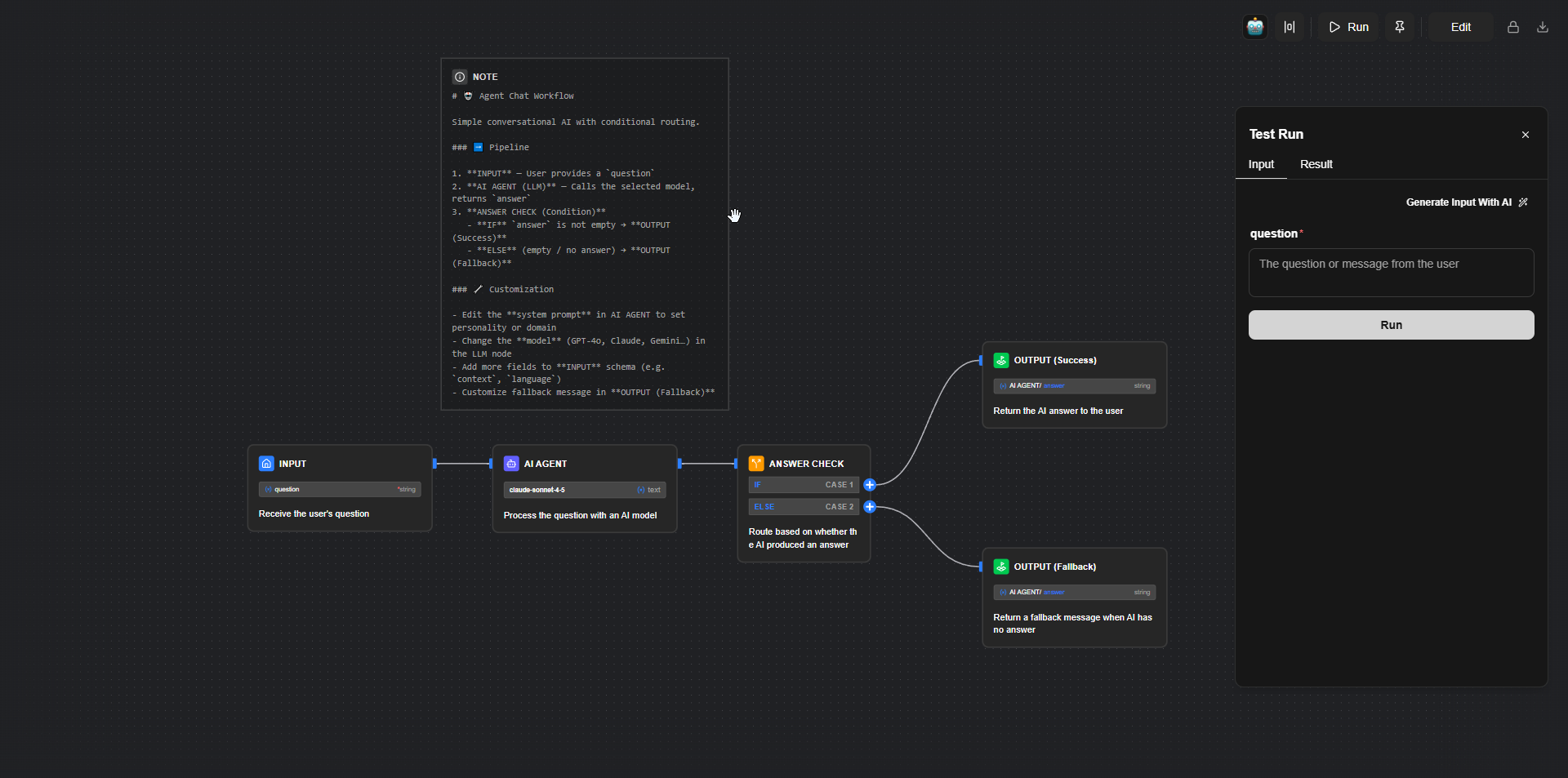
Build workflows for custom processes
When the chatbot does not fully understand the user’s intended process, workflows allow users to define the steps themselves and have Twinbot execute them accordingly.
[06]
Use built-in components
Twinbot also supports multiple built-in components that allow users to interact more effectively with the TwinEditor app.
[WHY USE TWINBOT]
Built to be simple at the core, making it easy to extend, adapt, and scale as your needs evolve.
Comes with a growing set of built-in tools, with the flexibility for developers to expand and customize.
Comes with a growing set of built-in tools, with the flexibility for developers to expand and customise further.
Design workflows that match your processes, guiding AI models to operate exactly the way your team works.
From built-in tools to external MCP servers and custom workflows, Twinbot lets teams shape how AI operates within Digital Twin and BIM applications.


